AI Image Background Blur
Soften the background in a reference photo with an AI depth-of-field effect. Guide the amount of blur while keeping attention on the subject.
Results
 Example
Your result will appear here.
See examplesGuide background blur around the subject
Start with a clear foreground subject. Describe the desired depth of field and the parts that should remain crisp, such as glasses, a bottle label or hair.
When this helps
For a portrait with glasses or hair crossing the backdrop, ask for moderate blur and inspect those boundaries first.
Examples
Example
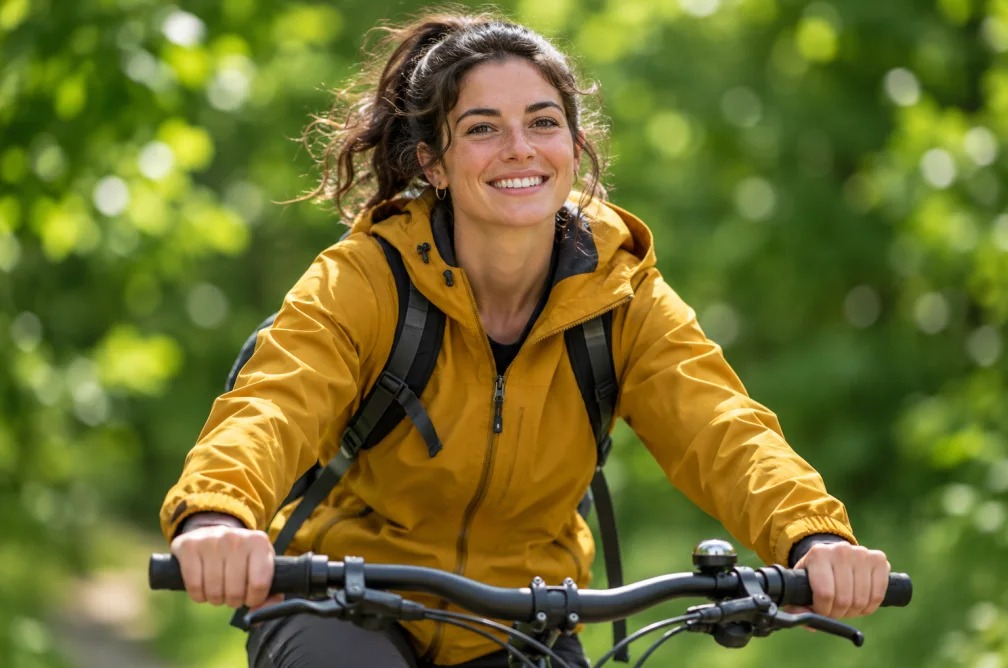
Keep the cyclist sharp and soften the trees into gentle bokeh while retaining the green and gold tones.
How to use it
- Pick a photo with visible separation between subject and background.
- Describe the amount of blur and name the foreground areas to preserve.
- Zoom in around the silhouette and check for a blur halo.
Settings & limits
- Source photo
- JPG, PNG or WebP, up to 10 MB
- Adjust with
- Prompted depth of field
- Output
- One edited image
Questions about AI Image Background Blur
How do I ask for light background blur?
Use a phrase such as “soften the distant trees slightly” and identify what should stay crisp in the foreground.
Which photos work best?
Start with an easy-to-see foreground outline and some distance behind the subject.
Can the blur affect the subject?
It can extend onto fine edges in the regenerated image. Examine glasses, hair and bicycle spokes at full size.
How do I avoid a blur halo around the subject?
Use a photo with a clear gap between the subject and the background. Name any boundaries that matter, such as glasses or bicycle spokes, and ask for moderate blur. Enlarge the outline to check where foreground and background meet.