Scene with visible geography
Use a locked wide shot when the street, doorway or horizon is important. Specify where in frame the action starts.
Turn a written scene into a short video. Direct the subject, action, lighting and camera as text, then choose a supported clip length.
 Example
Your result will appear here.
See examplesName the subject, add one action and finish with a camera instruction. A single timed action is easier to fit into a short clip than a list of scenes.
Use a locked wide shot when the street, doorway or horizon is important. Specify where in frame the action starts.
Use a push-in toward one feature. For a drink, describe condensation and a stable countertop before adding a pouring action.
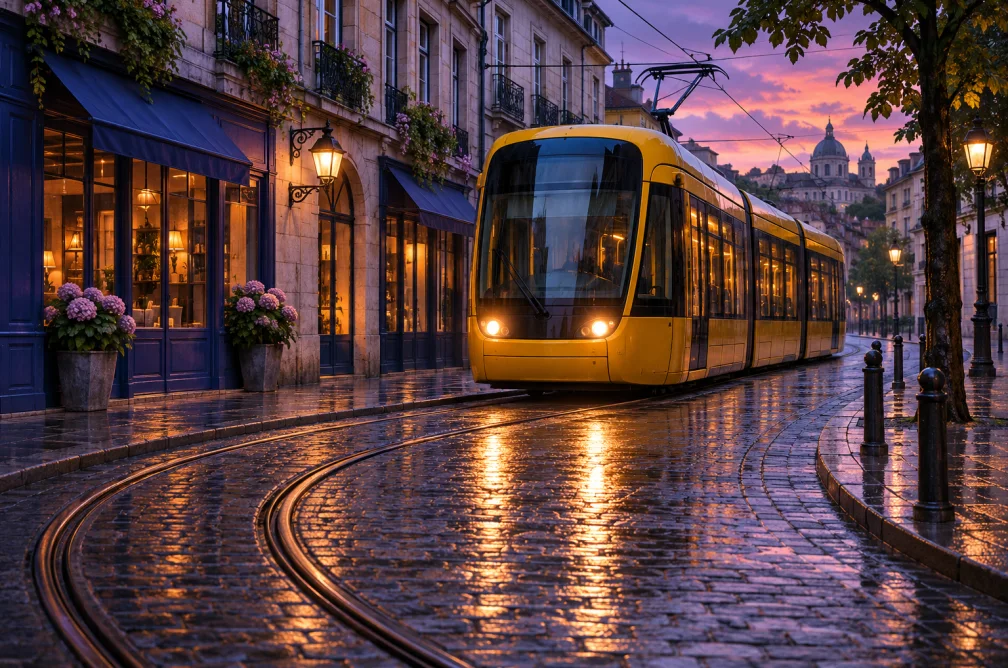
A yellow tram sits at a bend in a wet street at dusk. Pan right to reveal the tracks and their reflections.
| Shot | Prompt instruction | What to review |
|---|---|---|
| Locked wide shot | Keep the camera across the street as the tram rounds the corner. | The street and wet reflections remain in view. |
| Slow push-in | Move slowly toward the tram headlights as it finishes the turn. | The camera closes the distance smoothly without an extra cut. |
Include one visible subject, one action, a setting and any lighting or camera instruction that changes the result. “A tram turns a wet corner in a wide shot” is easier to direct than a list of unrelated cinematic adjectives.
A sequence of different viewpoints or words such as montage can invite cuts. Ask for one continuous shot with a fixed camera or one specific move.
Describe who is speaking and keep the spoken line short. Audio behavior depends on the selected model and controls. Use AI Voiceover and Add Audio to Video if you need a separate narration track you can review first.
Use Image to Video when the exact starting composition matters, such as a product shot based on approved artwork. A text-only prompt leaves the initial appearance to the model.
Remove secondary actions and describe the opening frame. For a five-second shot, let the tram finish one turn. Save a second reveal for another clip. If the first frame needs to match a particular composition, use Image to Video with a still.