Video to Prompt Generator
Turn a short clip into an editable English generation prompt describing the subject, camera movement, lighting and timeline.
Results
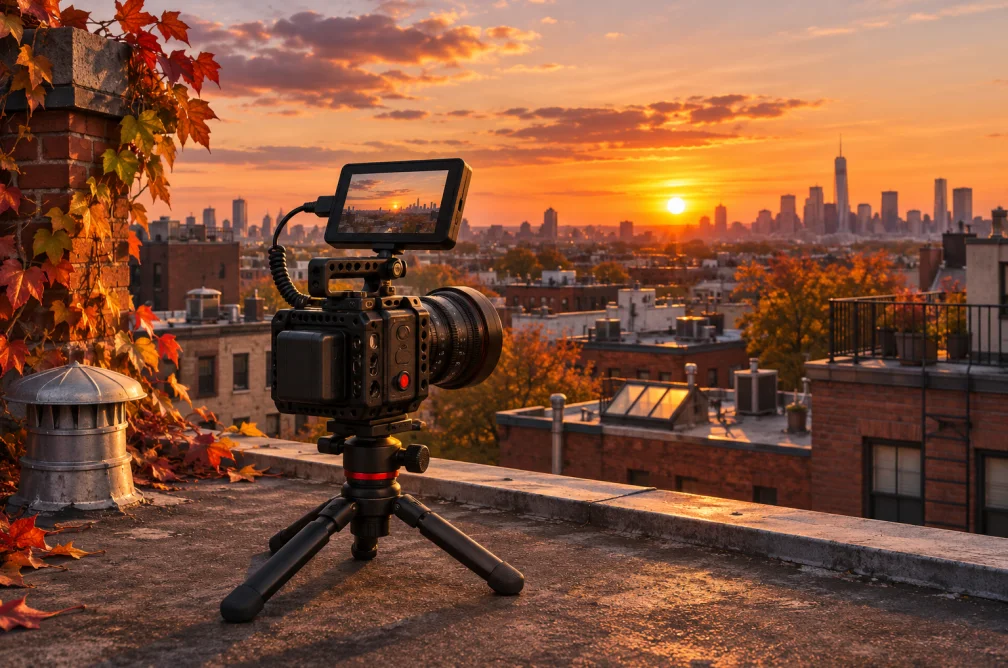 Example
Your result will appear here.
See examplesExtract reusable camera and lighting cues
Upload a clip up to two minutes. Use the returned prompt as a starting point and edit the subject or action before trying it in Text to Video.
When this helps
A reference clip can supply a camera move for a different subject. Keep the pullback and sunset light, then replace the skyline with your own scene.
Examples
Example video prompt
Frame a city skyline at sunset. Pull back slowly to reveal the camera and rooftop in the foreground while keeping the horizon level.
| Prompt part | Keep from the reference | Change for the new shot |
|---|---|---|
| Framing and light | Warm sunset and a slow pullback | Choose a different location if the horizon should look different. |
| Subject and action | How the movement reveals the wider frame | Replace the skyline and rooftop camera with a subject and setting of your own. |
How to use it
- Upload a short clip that shows the look you want.
- Ask for subject, light, framing and movement as a reusable prompt.
- Swap the subject, open Text to Video and choose settings for the new scene.
Settings & limits
- Source video
- MP4, MOV or WebM, up to 2 min and 48 MB
- Output language
- English
- Output
- Copyable video prompt
Questions about Video to Prompt Generator
Can it recover the exact prompt that made the clip?
It describes the visible footage in new words. The original prompt and hidden model settings are unavailable from the clip.
Can I focus the result on camera movement?
Yes. Ask it to describe opening framing, the direction of travel and what the movement reveals.
How is this different from Video Summary?
Video to Prompt gives directions for another shot. Video Summary gives a recap of what happens in the source.
Which parts of the result should I keep for a new shot?
Keep the camera movement, framing and lighting that produce the look you want. Replace the original subject and setting. Render a short version first to check that the new subject still fits the timing.